All-in-one productivity toolkit for ambitious makers.
SparkVault Advanced Tab Manager
Manage, search, organize, mute, pin, bookmark, and export all tabs with a powerful
SparkVault interface.
Last updated: Nov 28, 2025 • Created: Nov 28, 2025
The SparkVault Advanced Tab Manager gives you complete control and visibility over every open tab in
your browser.
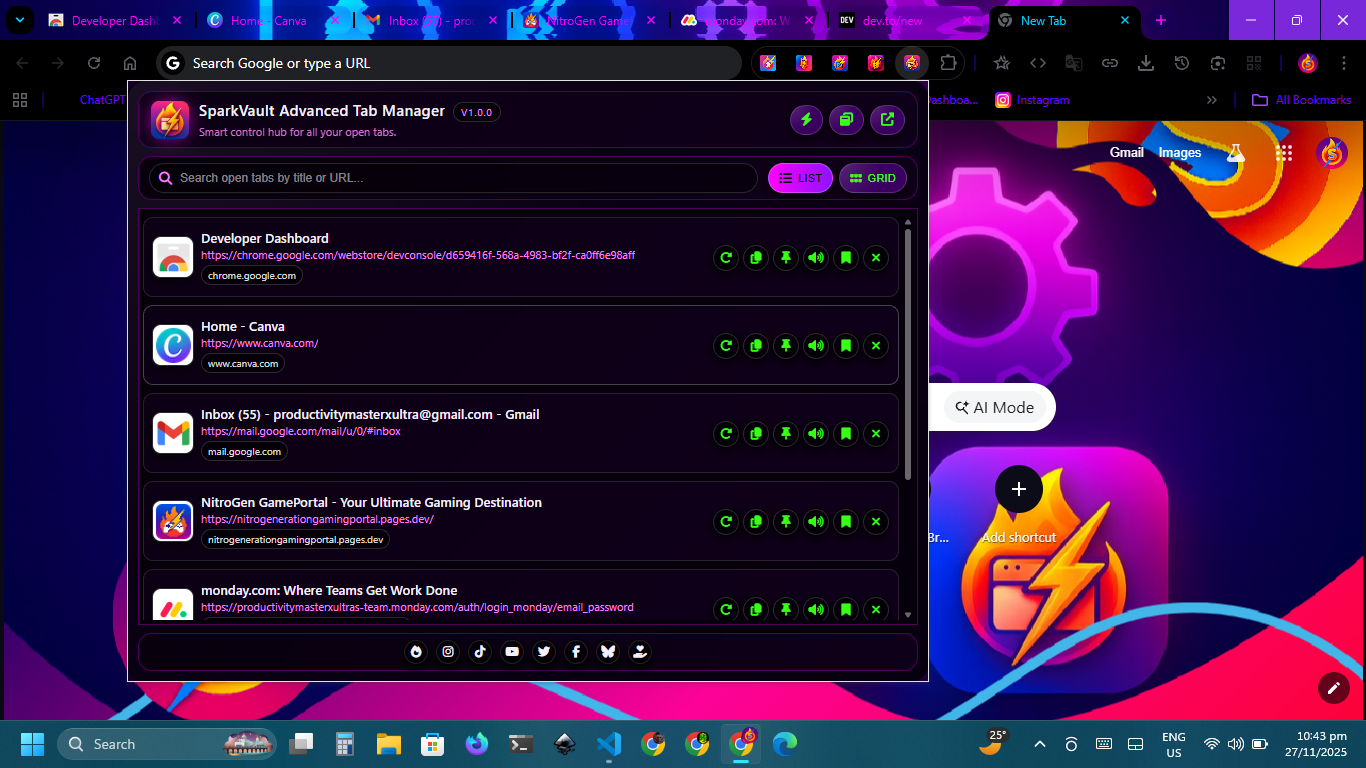
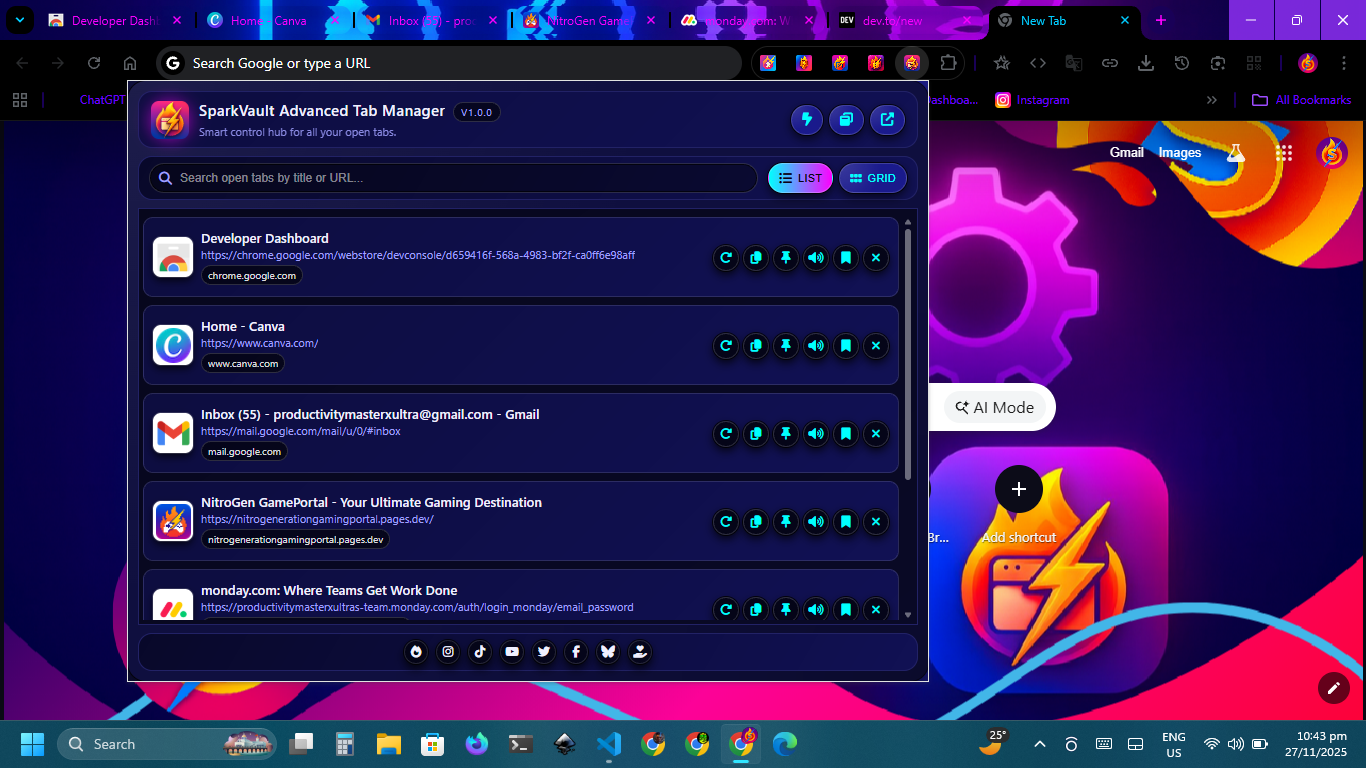
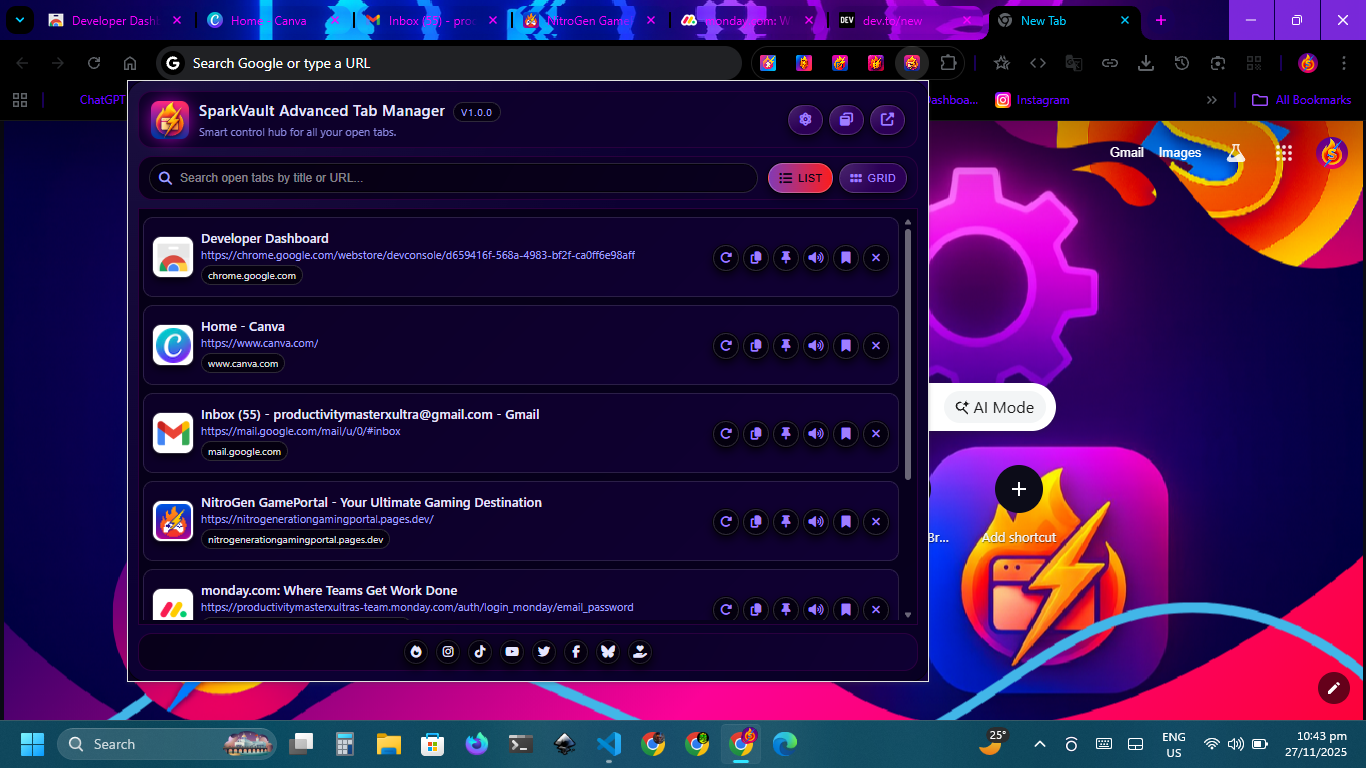
Instantly scan all tabs in a clean card-based layout, switch between list and grid views, filter results
using live
search, and identify sites at a glance through favicon and domain indicators. Manage each tab with
precise one-click
actions—reload, duplicate, pin or unpin, mute or unmute, bookmark, or close—without ever leaving the
extension
popup. Built for speed, clarity, and privacy, SparkVault provides a structured workspace that helps you
stay
organized, reduce tab clutter, and navigate your browsing workflow with ease.
Screenshots
Real-Time Tab Overview
View all open tabs at once with live updates.
The dashboard refreshes automatically as tabs open, close, update, or change states, giving you a
full
snapshot of your browsing activity at any moment.
Instant Search
Filter tabs by title or URL in real time.
Instantly locate any tab with a lightning-fast live search that scans both titles and URLs as you
type.
List & Grid Layouts
Switch layouts to match your workflow.
Choose between a compact list for speed or a grid layout for visual browsing—instantly toggleable at
any time.
One-Click Tab Actions
Reload, duplicate, pin, mute, bookmark, or close tabs instantly.
Every tab card includes fast controls for managing your workflow without switching windows or losing
focus.
Actions include reload, duplicate, pin/unpin, mute/unmute, bookmark, and close.
Smart Bookmarking
Save tabs into any bookmark folder with one click.
Select from your entire bookmark tree, edit titles or URLs before saving, and organize tabs exactly
where they belong.
Favicon & Domain Recognition
Identify sites quickly with icons and domain pills.
SparkVault displays each tab’s favicon and hostname, with automatic fallback icons and domain
labeling to
make scanning large tab lists effortless.
Local Privacy
No tracking, no accounts, no cloud storage—ever.
All operations run on your device. SparkVault never uploads tab information, tracks activity, or
communicates
with external servers.
Clean Card-Based Interface
Modern, structured, and built for high visibility.
Each tab is presented as a clear, accessible card with readable titles, URLs, domains, and action
buttons
laid out for fast navigation.
Focus & Tab Activation
Jump to any tab instantly with one click.
Activate any tab directly from the dashboard, auto-focusing its window and bringing it to the front
for immediate interaction. Perfect for fast navigation and reducing time spent searching through
browser windows.